ZenCoder
Your silent scripting companion, embedded in the Unity Inspector. No recompiling. No Play Mode reloads.
Write. Run. Iterate — all inside the Inspector.
Inspector IDE
Code where you already work
A live C# editor embedded in the Unity Inspector with syntax highlighting, IntelliSense, and instant run.
 Zen Coder (Script)
Live Demo
ZenCoder in the Inspector
Write and run live C# without leaving Unity. No code generators, no external windows.
What is ZenCoder?
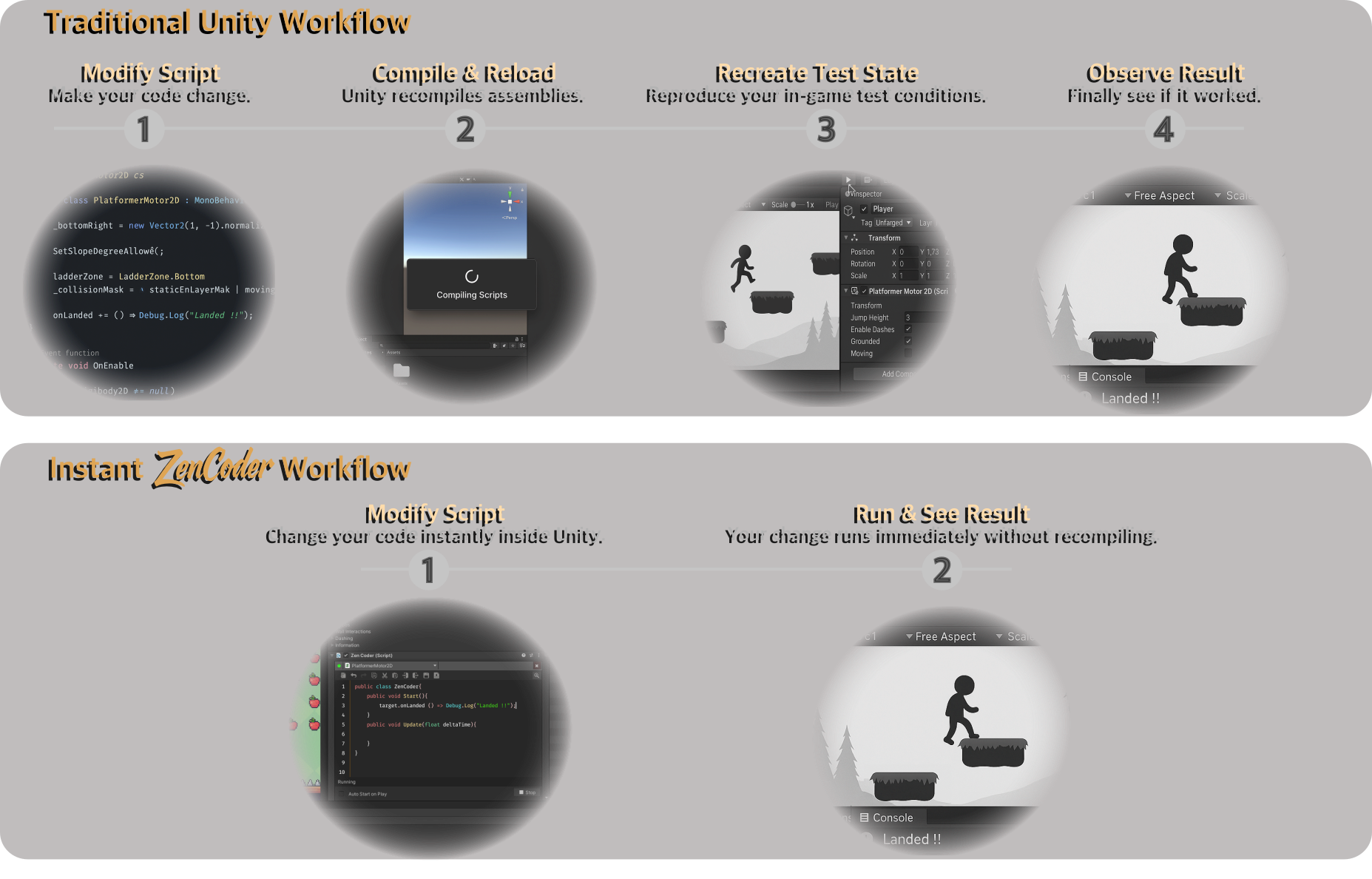
ZenCoder is a lightweight runtime scripting layer that runs directly inside Unity’s Inspector.
No code generators, no external windows, and no Play Mode interruptions.
Designed for rapid iteration, it lets you write real C# scripts, inject logic, simulate behaviors, and test systems without modifying original code or waiting for a compile.
Core capabilities
Inspector live scripting
Attach ZenCoder to any GameObject and write C# directly in the Inspector with syntax highlighting and IntelliSense.
Open component → ↻Full lifecycle support
From Awake and OnEnable to OnTriggerStay2D, OnDrawGizmos, and OnApplicationQuit - run logic when it matters.
View methods → @Live Variables
Bind Prefabs and components once, then reference them as colored @Player blocks with smart member suggestions.
Control Center
Oversee every ZenCoder instance in your project - status, targets, ping, select, and manage from one window.
Open Control Center →Instant execution
Code updates apply in real time, even during Play Mode. No recompiling, no reloads. Select any component as target and get full access to its fields, methods, and properties with rich autocompletion.
Attach
Add ZenCoder to any GameObject from the Hierarchy or Inspector.
Write
Author C# in the live editor - lifecycle methods, one-shots, or continuous Update logic.
Run
Execute instantly. Iterate in Play Mode without waiting for a domain reload.
Built for real workflows
Whether you are debugging XR haptics, tweaking multiplayer sync, testing animations, or trying client networking - ZenCoder keeps you in flow.
Tips & Tricks
AR/VR, multiplayer, networking, and Animation & Timeline recipes.
Browse tips → ⇄Multiplayer
Invoke RPCs, reassign authority, and inspect network state without rebuilds.
Tips → ▷Animation & Timeline
Drive clips, scrub timelines, and validate transitions from the Inspector.
Tips → →Start in minutes
Attach, write, run. The getting-started guide walks you through your first script.
Get started →Why “Zen” Coder
Because coding should feel calm, clear, and intentional.
ZenCoder is about flow - staying in the moment, thinking in code, and shaping behavior as you go.